
On November 10, OpenAI opened Business Hub, a free beta that lets owners claim their business inside ChatGPT. Think of it as the ChatGPT version of your Google Business Profile.
That matters because more of your guests are asking ChatGPT where to eat before they ever open Google Maps. OpenAI says ChatGPT reaches about 1.2 billion people a week. Here's what Business Hub does, who can claim right now, and exactly how to claim yours.
What OpenAI launched
OpenAI calls the full program Businesses in ChatGPT. Business Hub is the dashboard where you manage it. It lives at chatgpt.com/business-hub, and it also shows up as Business in the ChatGPT sidebar.
Don't confuse it with ChatGPT Business, OpenAI's paid workspace for teams. Different product. You don't need a paid plan to claim your profile.
Once you're verified, you can:
Correct your business details, including your website, description, category, logo and cover photo. OpenAI reviews edits before they go live.
See how often ChatGPT mentions you, how many people clicked through to your website, how many viewed your profile, and the top topics where you show up.
Add teammates or your agency. Each person signs in with their own ChatGPT account.
Upload a product feed with pricing and availability, if you sell products online.
OpenAI also launched Business Agents, an AI rep that answers customer questions inside ChatGPT. For now that's limited to U.S. ecommerce and online service businesses. Restaurants and other local businesses can't publish one yet.
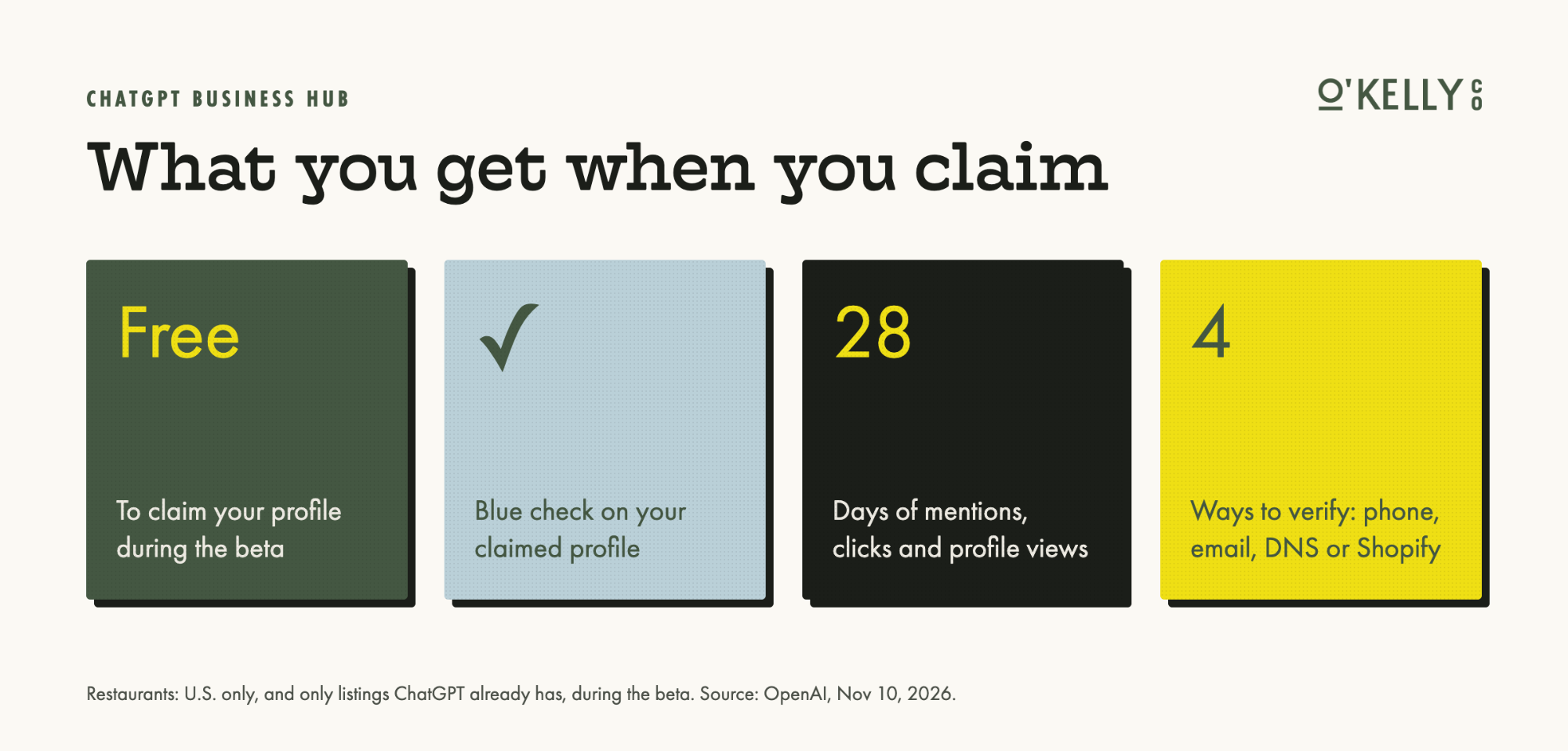
What a claimed profile gets you. Source: OpenAI.
Can your restaurant claim it yet?
If you're in the U.S. and ChatGPT already shows a listing for you, yes. During the beta, physical locations like restaurants and shops can only claim a listing that already exists. You can't create one from scratch. Online businesses can.
A few more rules:
Your business needs a website.
You have to be the owner or someone authorized to represent the business.
Every location is its own claim. A group with three restaurants claims three listings.
Some physical locations are landing on a waitlist during the beta. If that happens, OpenAI will email you. Don't pick a different business type to get around it.
How to claim your business in ChatGPT
Before you start, have your main business phone line (or website login), a government photo ID, and your legal business name and address handy.
Step 1. Sign in with the right account. Use a ChatGPT login the business controls, not a manager's personal account that walks out the door when they do. A free account works.
Step 2. Open Business Hub. Go to chatgpt.com/business-hub, or click Business in the ChatGPT sidebar.
Step 3. Find your listing. Type your restaurant's name into Search business, spelled exactly like your sign or website. Check that the street address matches, then click Get started. Confirm the account and click Continue, which accepts OpenAI's Businesses in ChatGPT terms. When it asks how customers reach you, choose physical location.
Step 4. Prove it's yours. ChatGPT only shows the verification options that fit your business. There are four:
Step 5. Verify your identity. Next, ChatGPT asks the owner or authorized rep for a photo of a government ID, like a driver's license or passport. You need this before you can edit anything. Some businesses are also asked for registration details, so pull your legal name and address from your state filing first so an old address doesn't slip in.
Then you wait. Your claim moves from Claim received to Review in progress, and OpenAI emails you the decision. There's no set timeline yet. Once you're approved, use Edit business info to clean up your profile and Invite to add your team.
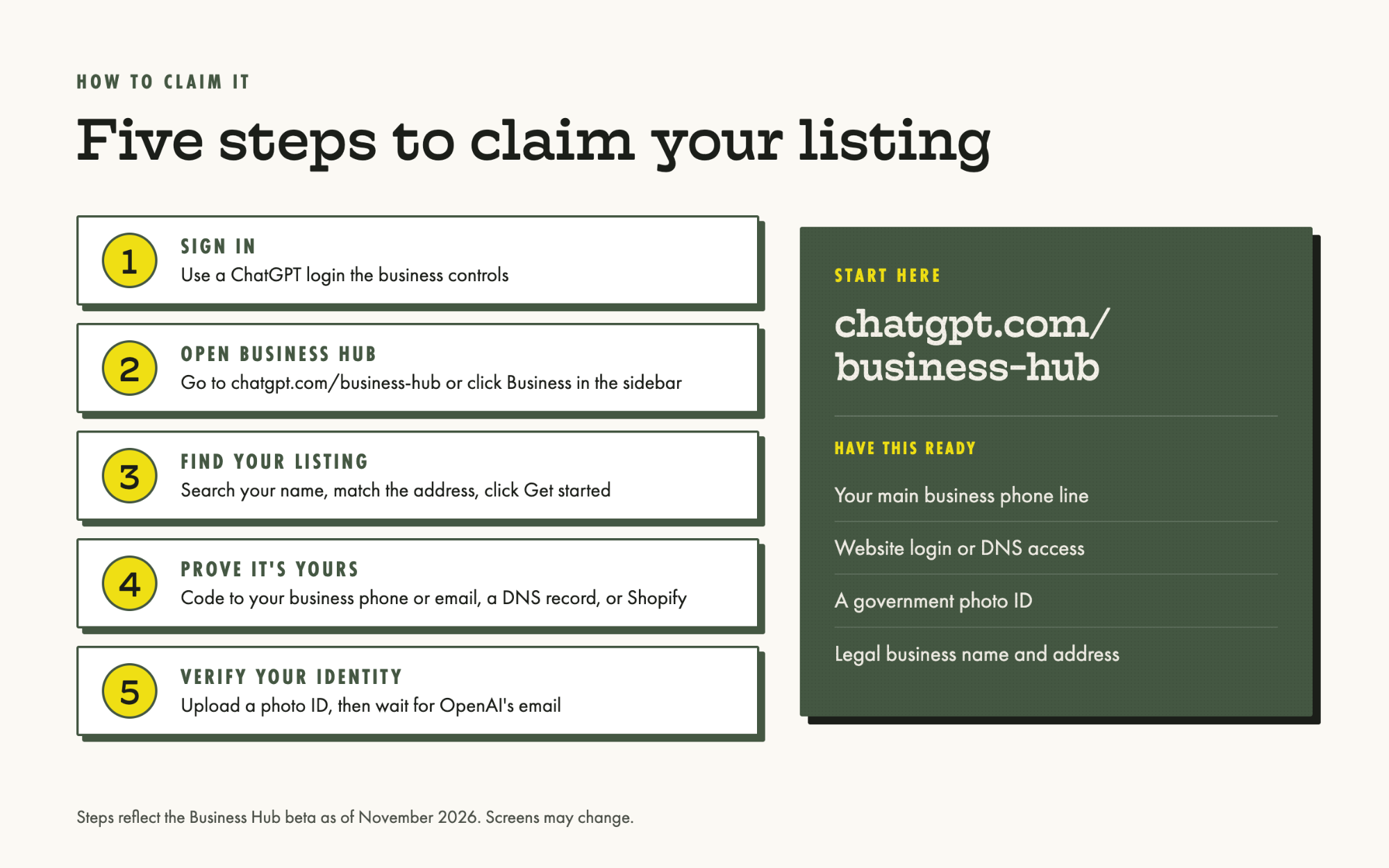
The five steps at a glance. Screens may change during the beta.
What the dashboard tells you
This is the part I'm most interested in. For the first time, we can see how often ChatGPT puts a restaurant in front of people. The Insights tab shows 7-day and 28-day views of:
Mentions. For local businesses, how often a result for your location showed up.
Profile views. How often people opened your ChatGPT profile.
Website clicks. How often someone clicked a link to your site.
Discovery topics. The top themes in conversations where you appear.
Keep it in perspective. You won't see the actual questions people asked, and you won't see competitors. Numbers only show up once there's enough activity, so a blank stat isn't the same as zero. And OpenAI's own note says a click doesn't confirm a website visit. Check it next to Google Analytics, where ChatGPT traffic shows up as chatgpt.com.
One more thing. OpenAI says claiming doesn't guarantee higher placement or sales. Business Hub won't push you up the list. What it does is make sure the info about you is right and give you data you've never had.
Don't forget Google
Business Hub doesn't replace your Google Business Profile. Early reports show ChatGPT's local results lining up closely with Google Business Profile data, so wrong hours on Google can turn into wrong hours in ChatGPT. Make sure your name, address, phone number, hours and menu match everywhere.
Here's what we'd do this week:
ChatGPT Business Hub checklist
- We searched for our restaurant at chatgpt.com/business-hub.
- We claimed it with a business-owned ChatGPT account, not a personal one.
- We verified with our main phone line or our website's DNS.
- The owner completed the photo ID check.
- Our description, category, logo and cover photo are updated.
- Our marketing team or agency was added through Invite.
- Our name, address, phone and hours match our Google Business Profile.
- We check Insights monthly next to Google Analytics.
The bottom line
ChatGPT is becoming one more place where people decide where to eat. Business Hub is the first time OpenAI has given owners a say in how they show up, plus real numbers on how often it happens.
It's free and it's early. Claim yours now, while it takes a few minutes, before someone else claims it or the info about you goes stale.
Need a hand?
Want help claiming your profile?
If you'd rather not deal with DNS records and verification codes, send us a note and we'll walk your team through it.
Get in touchFrequently asked questions
What is ChatGPT Business Hub?
It's OpenAI's dashboard for claiming and managing your business profile inside ChatGPT. It launched in beta on November 10, 2026, at chatgpt.com/business-hub.
Does it cost anything?
No. Claiming a profile is free during the beta. OpenAI hasn't said whether that will change.
Will claiming my business get it recommended more?
No. OpenAI says claiming doesn't guarantee higher placement or sales. It makes sure your information is accurate and shows you how often ChatGPT mentions you.
Can restaurants claim a profile?
Yes, in the U.S., if ChatGPT already has a listing for you. During the beta, restaurants can't create a new listing, and some locations are being placed on a waitlist.
Is this the same as ChatGPT Business?
No. ChatGPT Business is a paid workspace for teams. Business Hub is about how your business appears to other people in ChatGPT.
Does it replace my Google Business Profile?
No. Keep both current and make sure your name, address, phone and hours match.
